THIS BLOG IS HERE FOR HISTORICAL PURPOSES ONLY - IT IS CONTINUED AT WWW.GEOFFCAIN.COM
Tuesday, November 12, 2013
OER: SALSA - an open source syllabus builder
syllabus authoring tool from Utah State University’s Center for Innovative Design & Instruction. It is based on the design of the PDF Syllabus Builder. No registration of any kind is required to use Salsa.
According to their website, Salsa generates a unique and random hyperlink for instructors. Instructors an bookmark or copy the hyperlink with the "My SALSA" button, and "use the hyperlink to return and edit their SALSA. Publish your SALSA to generate a new hyperlink to a "read-only" copy of your Salsa in PDF or HTML format."
I am interested in this because I think that this is another tool that can help instructors who have to work with learning outcomes to do it effectively and consistently. I prefer the kind of learning where the students decide what the outcomes might be around specific topics but even that kind of learning has a "meta-outcome" of being able to work with a group to develop course outcomes. And there are accrediting agencies that ask for them. SALSA uses Bloom's Taxonomy, built right into the tool, to help instructors author the outcomes. I think it is helpful for students in a program to have some kind of consistency and connection of course outcomes with the class, the program, and the college.
This is also a way to get faculty and programs that need to work on student learning outcomes to see how they can be used in a practical way. If you have other tools for working with student learning outcomes, I would love an email or a note in the comments section.
Thanks!
Tuesday, August 13, 2013
Time Saving Tips for Teaching Online
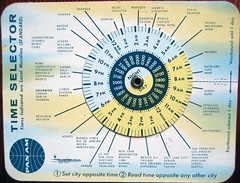
| Time Selector (Photo credit: Telstar Logistics) |
Note: this is an update of a post from 2012 that adds tips that teachers have sent in since then. Thanks everyone! Here are some of my favorite time-saving tips. Please add to them through the comments or via email.
1. Create a "Welcome Letter" that not only introduces the instructor and the course but gives detailed instructions on how to access the course and where to get help. Here is our example from DE 101.
2. Create a comprehensive syllabus. Utilize a "Week Zero," a module that explains to new students how to be an online student and use the learning management system (LMS). Direct students to tech support and the help desk as much as possible. Use the syllabus to let students know how to find tech support, tutoring, and a librarian. If your college does not provide online tutoring for students, be sure to check out OpenStudy which provides free, facilitated, online peer tutoring.
3. Use a syllabus quiz. Creating a quiz or syllabus scavenger hunt will help students understand how your course is organized and where to find help. I found this to be even more effective if it were worth a few points.
4. Make your course easy to navigate. Keep as much content as you can no more than two clicks away. Use a consistent format week-to-week or module-to-module. Remove buttons or tools you are not using.
5. Schedule your time. Do not work on your online course because you can; work on it because you have scheduled the time. Let the students know your schedule. Access your course consistently (e.g. three times a week) and respond to email promptly (with-in 48 hours).
6. Be strict about forms of communication. If you give students multiple email and messaging accounts to contact you, be prepared for students to use them. Some instructors do not receive class related email but take course related questions only through the learning management system. Some will only use email. Some only take assignments in drop box. Make sure you are clear about how you want to be contacted.
7. Automate your course as much as possible. Take advantage of the time-release feature of announcements and other content. Record and reuse lectures. Let the learning management system handle as much of the grading as you can.
8. Distributing and exchanging documents. Use the assignment feature of your LMS instead of e-mail. Encourage students to share documents using Google Docs or Dropbox.
9. Centralize question and answers. Use a discussion forum for “Frequently Asked Questions.” Create a FAQ page. Ask students to ask questions in the forum rather than e-mail.
10. Use online groups with a deliverable Let the students do the work. Do not respond to every posting, respond to the group deliverable.
11. Use a "common responses" file to quickly paste in answers to common questions. This file can be a Google Docs file that you can open on any computer.
12. Allow students to facilitate online discussions. Giving students an opportunity to discuss what they have learned in their own voice can really help students learn.
13. Use a detailed grading rubric to help answer questions in advance. Teachers can create rubrics online using tools like RubiStar.
14. Encourage student-student interaction and study groups. Give them the space to solve problems.
15. Communicate to entire class in general terms using audio and/or video on a regular basis. Try to anticipate problems or sticking points in a class and record a video to address these issues. We like to suggest tools like Screencast-o-Matic. A YouTube account is also very handy.
Bonus: There is a great resource from Dennis Thomas O'Connor, "Time Management Strategies for Online Instructors," that he sent to me in the last incarnation of this post.
What about you? How do you streamline your online teaching process? Leave a comment below if you have any time saving tips.
Related articles
- The Power of Teaching Online (pluralsight.com)
- Courage to Teach Online (bwatwood.edublogs.org)
- Challenges of Teaching Online-Extreme Weather Edition (realdrlaura.wordpress.com)
Tuesday, June 14, 2011
Open Syllabus and Sakai
OpenSyllabus Sakai 2.7 Contrib Tool from Jacques Raynauld on Vimeo.
http://vimeo.com/24932699
| Title: | Open Syllabus: Building a Coherent Learning Environment in Sakai 2.x |
| Date: | 06/14/2011 |
| Presenter(s): | Jacques Raynauld (HEC Montreal) |
| Description: | Open Syllabus (OSyl) is now a fully functional Sakai 2.7 contrib tool that helps instructors quickly organise their course's material to provide a coherent learning environment for students. It has been tested successfully in a large pilot with 9 000 students. In this presentation, we sketch the most important features of the tool. OSyl is easy to use and provides templates to organize all the resources (files, citations, urls, etc.), assessment activities (assignment, quiz, forum, etc.) and other elements (description of the course, etc.). OSyl is an XML model-based approach to syllabi so all the information is organized and kept in a general semantic format. Simple configuration rules can be set to reflect different university practices. OSyl course websites are very flexible and can be shared, exported, printed and archived easily. Osyl can also generate a public Open Courseware gateway. Osyl now includes a simple and powerful course site manager. |
Wednesday, June 16, 2010
Instructor Driven Course Site Design
Image via Wikipedia
Abstract:
Sakai is now in full production at the University of Virginia where its adoption rate has been steadily growing over the last two and a half years. However, in spite of its many useful features, one of Sakai's serious shortcomings has been its limited accommodations for variety and flexibility in truly representing and delivering a course's design. While Sakai allows instructors to select, rename, and reorder tools and resources, instructors cannot provide students access to tools and resources except through a linear and heavily tool-based menu structure. Instructors at our institution have made it clear to us that this limitation is a severe setback to their creative and effective use of the system, especially in purely online environments. They may, for example, want to organize their course content and activities in a chronological order, or by topic modules, or even as a narrative with an emergent design. But, by default, Sakai forces a tool-based view/presentation even though few (if any!) courses are designed that way. This limitation has been partially addressed by at least two projects -- Melete by Etudes and OpenSyllabus by HECl. In this presentation we will briefly discuss the approaches and limitations in these two efforts and describe a third approach that focuses on the built-in editor in Sakai (FCKEditor) which we have adapted to provide a simple and flexible way for instructors to deliver their course designs via Sakai. By extending the Sakai editor with easy-to-use templates and plug-ins for full screen editing and previewing, and by adding the ability to easily link to discussion topics, assignments, and tests (in addition to resources), we have been able to provide instructors with an environment that is simple but also capable of supporting their individualized and innovative course designs.
- CMS Advisors
- Shanti/UVACSE
- TRC - teaching and learning support
- Instructional development teams in the different schools
- Focus on supporting instructors
- Give instructors control over the interface
- Provide design assistance with templates
- Focus on online editor training for instructors
Thursday, September 11, 2008
Health Information Management 101
I am very excited about this syllabus I wrote with Charlene Gore for a class that we co-teach, Health Information Management 101. This course is a credit/no credit, two unit, student success course where we teach the students all of the technology they will need to be successful in the HIM program: their learning management system, web 2.0 tools, and Second Life (it is used on campus). The idea is to get all of the technology, formation of learning networks, and information access all in one class. This lets the teachers leverage the technology without having to teach it. We hope that this is rolled out campus-wide one day. The bump in the road is that it takes teachers willing to embrace web 2.0 technologies, a leaderless model ala "The Starfish and the Spider" (learning is lead by students in small groups facilitated by teachers), and portfolio assessment. The course is still in refinement and we would love feedback from others who share a similar vision.