Showing posts with label discussion. Show all posts

Thursday, August 30, 2012

Rubrics for Discussion Posts

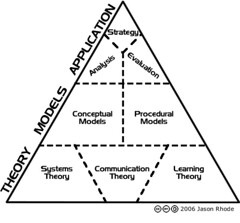
Hierarchy of Instructional Design
Hierarchy of Instructional Design (Photo: jrhode)
I gave a presentation today on discussion forums. I know that LMSs are old-fashioned now in the post web 2.0 social media world, but my goal as an instructional designer is to at least get the best use or best practices out there for whatever tools are available and being used by any particular school or institution. The presentation is in about 3 parts. The first talks about why we use discussion assignments. The second looks at the characteristics and practices that make for a successful discussion assignment, and the third talks about assessment. Oh yes, there is a fourth part: we actually went into Sakai and looked at the "Discussion Forums" tool which is the old open source forum "JForum." I prefer that tool over the generic Sakai "Forums" tool because I find "Discussion Forums" easier to grade and manage. I get where things are and why. The profile in "Discussion Forums" is easier to use than the Profile tool in Sakai which is NOT integrated with the Forums tool or any other tool for that matter. But my point is that the how and why of using a particular tool, the pedagogy implied by the assignment, and the assessment of the assignment is more important than the tool itself.

Map of income distribution in Salinas.
Map of income distribution in Salinas. (Photo credit: Wikipedia)
So in this workshop, I present a rubric for discussion posts. Most other teachers and instructional designers ask me about this. Why in a Facebook world do I need a rubric for discussion posts? Isn't this very mid 90s? Well, it is. Despite the "Millennial" thinking about students, we have a lot of students who do not know what the internet and online communication is really all about. I know this flies in the face of the "Net Generation" fallacy (where you take the recreational habits of the upper middle class/rich kids of your Ivy League school and try to extrapolate what is happening in the rest of the 99% world with technology and learning). I first developed my rubric for discussion posts around my rubric for blog posts when I was teaching English at Hartnell College in Salinas. Many of my students where first generation college students and the Spanish speaking children of migrant farm workers. Many of them did not have consistent high school experiences. A few had diplomas, some GEDs and many had incomplete educations because they moved around a lot. (According to the standard commercial English textbooks, these kids are ready for Shakespeare and Milton.) How are these students supposed to know what is expected of them in an online environment? Easy. You talk to them. You frame the question in terms that they are familiar with. You ask them about what the expectations we might have in a conversation in a classroom versus the cafeteria or at home. I told the students about the rubric and discussed what was in it and why and then we negotiated. Some were familiar with internet chats and wanted to know about "flame wars." We negotiated the points involved. We talked about what is a substantial reply versus superficial (like "great post"). So instead of imposing a list of seemingly arbitrary rules - the students made the guidelines their own. They now had a set of expectations for their interactions with one another and my grading. We referred to the rubric for about 5 weeks, and once we were sure that things were working - it slowly faded away. I think that is success.

I have a copy of my rubric here.

Here is a copy of my presentation as well:


Related articles:
Enhanced by Zemanta

Tuesday, June 15, 2010

Messages & Forums 2.7, Not What You Were Expecting

The famous set of columns from the Roman Forum...Image via Wikipedia

Bryan Holladay has been a developer at Indiana University for the past four years. Bryan has assisted with the Matrix tool enhancements for ePortfolio, is the project co-lead for Sakai's Messages & Forums tool, created Oncourse's mobile portal for MobileIU and redesigned the synoptic tool for Messages & Forums. He has his B.S. in Computer Science from Indiana University and will complete his M.S. in Computer Science from Purdue University in August 2010. Bryan enjoys android programming and sailing the lakes of Indiana in his free time.

Megan May - Indiana University
Megan is a Quality Assurance Team Lead / Project Planning Coordinator within University Information Technology Services (UITS) at Indiana University and was the Quality Assurance (QA) Director for the Sakai Foundation for just under 3 years. Over the years Megan has been responsible for leading a global QA effort, as well as directed the testing and implementation effort of IU's migration from the legacy CMS to Sakai. She has also been responsible for the communication, coordination, data analysis, design, documentation and tier 2 support. Megan earned her B.S. in Business from IU's Kelley School of Business with concentrations in information systems, operations management and process management.

Gonzalo Silverio - University of Michigan
Gonzalo Silverio is a Sakai/Ctools front end developer at the University of Michigan, focused on constructing usable and accessible user experiences.

Abstract:
Introducing the faster, sleeker, and improved Messages & Forums tool for Sakai 2.7. This showcase will go over the improvements made to the Messages & Forums tool, including the UI makeover, the new synoptic tool, the many performance improvements and the extra features added for the user. We will also go over the process of becoming an independently released tool.

Meagan gave a short history of the forums and messaging feature in Sakai.

Forums Facelift
UI Makeover - complex tool and unique needs
  • Deep hierarchical structure
  • need for context and detail
  • But there is no Sakai idiom for dealing with these issues.
Changes in the Forums
  • Color coding
  • Threaded view
  • Single message view
  • New flags that tell you what you have read
  • Navigation tools
  • Clarifying permissions
  • Complete accessibility review
  • Word counts
Forums: What's new in 2.7.0
  • New synoptic tool (shows unread messages)
  • Performance improvements
  • Direct pinking to Forum posts
  • Mark all as "read" when displaying all messages
  • Site participant notification
  • Displays # of users who read post
  • view all postings by in individual
  • Option to display and sort by last and recent activity
  • Option to pre-populated default forum and topic
  • Read by feature
  • Statistics page - able to click on posting and retrieve thread
Is the synoptic tool faster? A piece of chart junk was used to illustrate the faster speed. We were asked to ignore the numbers and just think of them as percentages - this guy has a future at NASA :-) To be fair, I am just not sure what his numbers mean apart from fast=good.

It is interesting to listen to programmers try to talk to faculty. All of the sorting and tagging options are not as nearly as useful as programmers think they are because they are dependent on what computer one is using when.

The thread view seems much clearer. This is going to be good news for our faculty.

Indie Tool Release
Development platform for building tools for Sakai.
Independently released from Sakai.
Using Maven Release plug-in

Enhanced by Zemanta