
Darrell is a part-time student who does not own a car. Every Tuesday and Thursday, he takes the hour-long bus ride to school. Like many students at his community college, he works nearly 30 hours a week while taking three classes. Between work, commuting, and attending classes, he is hard-pressed to find time for studying.
Fortunately for him, though, while taking the bus one morning, he found himself sitting next to one of his fellow classmates, Julie. He told her about his frustrations with his schedule and the homework and how he didn't feel like he had time to see a tutor. She told him about the many educational sites that can be accessed on the phone. Sites like the Mobile ESL page from Athabasca University (http://eslau.ca) that has online grammar lessons and short self-tests that will help you check your work. She also pointed out that parts of the college's own learning management system were accessible by phone. She even had one instructor who was using an electronic textbook that was accessible by smart phones.
Darrel quickly took to the world of mobile learning. His phone was no longer just for texting and music.
What exactly is mobile learning? Mobile learning (often called “mlearning”) is any learning or instruction that takes place at a specific location but relies on a mobile device to access the information or event.
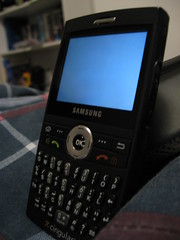
Mlearning often depends on “smart phones.” Smart phones, such as the iPhone or Android, are basically minicomputers that can connect to the Internet via wifi or through the phone network. Any phone that can connect to the Internet can participate in mlearning. Mlearning is also taking place on tablet computers such as the iPad and the highly portable netbooks. Not all phones are smart phones, but they are becoming more and more widespread and common. Soon, there will be no other phone but a smart phone.
What are some ways that instructors can use phones for learning? They can host content that is easily accessible to phones on the Internet. Many software packages make mobile-friendly websites out of the box, and many phones have simplified web browsers that help make accessing the information easier.
Many resources and institutions, such as the New York Public Library, have mobile-friendly sites. And speaking of libraries, a number of libraries, such as Oregon State and Yale, are taking advantage of mobile phones with a “Text-a-Librarian” service.
Mobile phones often have applications on them that will allow them to read electronic books. Tens of thousands of books are available for free on the Internet through sites such as gutenberg.org. Amazon's Kindle software is available for phones, but there are many free non-corporate readers out there as well.
Instructors can ask students to gather data with their phones. Often, smart phones include cameras. That, combined with the Internet connection, allows students to post photographs online. Students can also post data to websites, blogs, or wikis. This can allow students to gather information in the field.
Mobile phones can also read barcodes and special versions of barcodes called QR codes that will allow users to interact with objects. QR codes are used in science and art museums on the description cards for exhibits or works of art. When they are scanned, they might give more information via text, audio, or video, or it might take the visitor to a webpage.
Mobile phones are natural portals to sites like Facebook and Twitter. Some instructors will use services like Twitter to send announcements, as a “back channel” discussion site for lectures, and as a way to continue the community of the classroom beyond the walls of the college.
 |
| Sample of a QR code. |
Smart phones like the iPhone or the Android have an “app store” associated with them. There are numerous free applications that can be used on a phone that allow students to learn anything from languages to the Periodic Table.
There are many ways that both students and teachers can take advantage of phones for teaching and learning. It is important for educators to understand that students often will be catching what they can of their learning experience when they can catch it. Everyone benefits when we use tools that, by default, make the learning materials as accessible to as many as possible when they need it.
Geoff Cain is a member of the Redwood Technology Consortium and director of distance education at College of the Redwoods. Contact him at geoff-cain@redwoods.edu.
NOTE: Drake Teller posted a comment at the Times Standard: "Also check out Celly, a free service with group texting and instant polling. However, with Celly you can send and receive polls from the web or from any sms capable phone. Thus, it does not necessarily require a smart phone to have class discussions, send alerts, or gather student response (like a software clicker w/o the software). For more info: http://cel.ly/schools


![Reblog this post [with Zemanta]](http://img.zemanta.com/reblog_e.png?x-id=a5029ee8-aa1f-40a5-9164-cbbb8d13d414)