Showing posts with label mlearning. Show all posts

Monday, September 15, 2014

mLearning Initiatives at Humboldt State University

This just in from Morgan Barker, an instructional designer at Humboldt State:

Hello Staff & Faculty,

I would like to personally invite you to campus sessions centered around the topic of mobile learning. The eLearning department will be holding a monthly 2014-15 Bring Your Own Device (BYOD) session. Come join us -grab a cup of coffee and a croissant, during the session.

Sessions will run like an open mike forum - the perfect venue to start an academic discussion, ask questions, share your mobile lessons or learn from the campus community.

Fall Session Dates/Times - BYOD Mobile Learning Sessions

The Fujitsu iPAD
Friday, September 19th
Theme - Facilitate Classroom Use - mobile lessons, all disciplines
SH 117 9-10am

Friday, October 17th
Facilitate Collaborative, Content Sharing Elements, all disciplines
SH 117 9-10am

Friday, November 14th
Facilitate Field Journals, all disciplines
SH 117 9-10am

More Information - What is Happening at HSU with Mobile Learning? During Spring 2014 the College of eLearning facilitated a semester-long Faculty Learning Community (FLC) on mLearning that created a fun and safe environment in which faculty collaboratively explored, applied and shared mobile technologies and pedagogies to enhance student learning. Take advantage of these resources:

Cannot make these sessions? We will continue the use of #mobileflc and our tagboard mentioned above. This is a great way to see the conversations and add relevant content.

More and more events like this will be happening here as they are in the rest of the country. I am really interested in how these tools can change how students learn. I was very skeptical at first because when the iPad first came out, I saw it only as another consumption device and I associated "mlearning" with proprietary platforms. It is a different world now - the web has gotten to be a much more creative place to be since the dawn of Web 2.0 and it is really worth looking all of the ingenious uses of networks and even the simplest of tools. These events are the follow-up events that grew out of the mLearning Faculty Learning Community that Kim Vincent-Layton and Morgan Barker led last year - I highly recommend this and if you are on campus, please stop by. 


Tuesday, October 09, 2012

Podcasting and the Attention Curve

The logo used by Apple to represent Podcasting
 (Photo credit: Wikipedia)
We were working with one of our brilliant faculty here at College of the Redwoods, Pamela Netzow, who is creating an audio annotation and guide to a very complex accounting textbook. She came in for a meeting today and the conversation turned to student attention span. There is a lot of research out there on this and our multimedia instructional designer, Dan Fiore, sent us a video by Rhona Sharpe that included the statement that "while teachers are lecturing, students are not attending to what is being said about 40% of the time, and this has been shown in numerous studies" and that students' attention spans in "passive tasks" is about 15 minutes.


This really makes breaking up an in-class lecture with activities and discussion very important. It also brings into question the whole idea of putting up entire lectures online via lecture capture software. The best use of lecture capture software, according to this research, would be to record demonstrations, short lectures, and brief presentations.


Pam's efforts also tie into some research that I had read recently about engaging students in content being an important factor in student success and retention rates.With Pam's podcasts, students will learn not only what is important for the class, but I think that this is a great way to teach students how to effectively use a textbook.

Even though podcasting is not exactly new technology, it is fairly new to Humboldt County and our students. It has the advantages of being low-bandwidth and available on a wide variety of phones, mp3 players, and computers. We will certainly report back here the results of our instructors efforts.
Enhanced by Zemanta

Saturday, April 07, 2012

Mobile Learning: Education is Everywhere

IPad Mini
This is an article I wrote for the "Tech Beat" column for the Times-Standard:

Darrell is a part-time student who does not own a car. Every Tuesday and Thursday, he takes the hour-long bus ride to school. Like many students at his community college, he works nearly 30 hours a week while taking three classes. Between work, commuting, and attending classes, he is hard-pressed to find time for studying.

Fortunately for him, though, while taking the bus one morning, he found himself sitting next to one of his fellow classmates, Julie. He told her about his frustrations with his schedule and the homework and how he didn't feel like he had time to see a tutor. She told him about the many educational sites that can be accessed on the phone. Sites like the Mobile ESL page from Athabasca University (http://eslau.ca) that has online grammar lessons and short self-tests that will help you check your work. She also pointed out that parts of the college's own learning management system were accessible by phone. She even had one instructor who was using an electronic textbook that was accessible by smart phones.

Darrel quickly took to the world of mobile learning. His phone was no longer just for texting and music.

What exactly is mobile learning? Mobile learning (often called “mlearning”) is any learning or instruction that takes place at a specific location but relies on a mobile device to access the information or event.

Mlearning often depends on “smart phones.” Smart phones, such as the iPhone or Android, are basically minicomputers that can connect to the Internet via wifi or through the phone network. Any phone that can connect to the Internet can participate in mlearning. Mlearning is also taking place on tablet computers such as the iPad and the highly portable netbooks. Not all phones are smart phones, but they are becoming more and more widespread and common. Soon, there will be no other phone but a smart phone.

What are some ways that instructors can use phones for learning? They can host content that is easily accessible to phones on the Internet. Many software packages make mobile-friendly websites out of the box, and many phones have simplified web browsers that help make accessing the information easier.

Many resources and institutions, such as the New York Public Library, have mobile-friendly sites. And speaking of libraries, a number of libraries, such as Oregon State and Yale, are taking advantage of mobile phones with a “Text-a-Librarian” service.

Mobile phones often have applications on them that will allow them to read electronic books. Tens of thousands of books are available for free on the Internet through sites such as gutenberg.org. Amazon's Kindle software is available for phones, but there are many free non-corporate readers out there as well.

Instructors can ask students to gather data with their phones. Often, smart phones include cameras. That, combined with the Internet connection, allows students to post photographs online. Students can also post data to websites, blogs, or wikis. This can allow students to gather information in the field.

Mobile phones can also read barcodes and special versions of barcodes called QR codes that will allow users to interact with objects. QR codes are used in science and art museums on the description cards for exhibits or works of art. When they are scanned, they might give more information via text, audio, or video, or it might take the visitor to a webpage.

Mobile phones are natural portals to sites like Facebook and Twitter. Some instructors will use services like Twitter to send announcements, as a “back channel” discussion site for lectures, and as a way to continue the community of the classroom beyond the walls of the college.

Sample of a QR code. 
Mobile phones are also used as “student response systems.” Any mobile phone can be used this way. Using websites like Poll Everywhere (www.polleverywhere.com), instructors can set up polls that the students can respond to in class. Give three choices for an answer, for instance, the students can text a number to respond to their choice. Instructors can get instant feedback no matter how large their class is.

Smart phones like the iPhone or the Android have an “app store” associated with them. There are numerous free applications that can be used on a phone that allow students to learn anything from languages to the Periodic Table.

There are many ways that both students and teachers can take advantage of phones for teaching and learning. It is important for educators to understand that students often will be catching what they can of their learning experience when they can catch it. Everyone benefits when we use tools that, by default, make the learning materials as accessible to as many as possible when they need it.

Geoff Cain is a member of the Redwood Technology Consortium and director of distance education at College of the Redwoods. Contact him at geoff-cain@redwoods.edu.

NOTE: Drake Teller posted a comment at the Times Standard: "Also check out Celly, a free service with group texting and instant polling. However, with Celly you can send and receive polls from the web or from any sms capable phone. Thus, it does not necessarily require a smart phone to have class discussions, send alerts, or gather student response (like a software clicker w/o the software). For more info: http://cel.ly/schools
Enhanced by Zemanta

Friday, March 30, 2012

Mobile Learning by Default

Motorola MILESTONE smartphone displaying Wikip...Motorola MILESTONE smartphone displaying Wikipedia home page (Photo credit: Wikipedia)When I first started reading about mobile learning platforms, there was a lot of talk about special content management systems or learning management systems that would enable mobile learning (or "mlearning"). A few years ago, there were a lot of mobile learning platform start-ups, but it looks like that is not really where mlearning is going to go. Many applications support mlearning right out of the box. For instance, my wife, Jacqui, teaches reading and she uses Softchalk to create her course "textbook." She then uploads it to Sakai (the college's learning management system). Students will often read in the classroom on the computers. One day she came in when the students were supposed to be reading and a few of them had their phones out. She asked them to put them away. They quickly turned the phones around to face her and she was really surprised at what she saw: they were reading her textbook on their phones. Not only could they read it, but all of the images, roll-over definitions, embedded videos and annotations worked perfectly. She didn't have to do a thing. And it really tells us how students engage with content and the digital world. The students who need or prefer the mobile content just naturally navigated to the content with their phones.

Style sheets can detect when a web page is being accessed by a mobile phone and then redirect the user to the mobile version of that page - Facebook does that and so does this blog. Blogger.com uses a mobile style sheet and I didn't have to do a thing. In fact, some visitors of this blog have told me that they prefer the mobile version to the pretty web version because it loads faster and they can access the information they are looking for quickly.

One of the things that impressed me about the Angel learning management system before they were subsumed by Balkbored was that every part of the LMS was accessible by phone even before the wide-spread use of smart phones.

What is my standard for mobile sites? One of my favorite mobile sites (I used to teach English in a happier time long, long ago...) is the mobile ESL site at Athabasca University put together by Rory McGreal et alia.  This is a very useful site that is openly licensed. We are working on a version of this for College of the Redwoods so stay tuned. This is the model of how mobile sites should work: simple, self-contained, easy-to-read, and it includes self-assessment! This is the how and why of mobile learning. This is what the students will be using on the long bus ride to school. This is genius. If all of that wasn't enough, you can download the files and adapt them to your particular circumstances and upload them to your own server because it is openly licensed under a Creative Commons Attribution-Noncommercial-Share Alike 3.0 license.

Students have reported that they are able to access Sakai (the learning management system used at College of the Redwoods where I work) on their mobile phones without too much trouble. Here is a screen shot of the mobile interface from Ithaca College in NY:


It is important for us to understand as educators that students often will be catching what they can of their learning experience when they can catch it. It behooves us to use tools that by default makes the learning materials as accessible to as many as possible.
Enhanced by Zemanta

Saturday, August 01, 2009

Revisting the Digital Divide

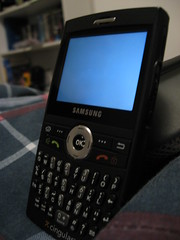
My Samsung BlackjackImage by Dillon K. Hoops via Flickr

I was looking back at some bookmarks and materials that I had on an old computer and it was fascinating to me how the questions around technology have changed. When educators were talking a lot about the "digital divide" back in the early 2000s, the questions were around how were we going to get these expensive machines and infrastructure to the poor. They needed lots of power, cables, expertise and money. Computers were huge and expensive and they still can be today. But we now define a whole other class of machines as computers, including phones, netbooks and PDAs. The most important of these right now are the phones. According to a report by the International Telecommunications Union back in March of this year, at the end of 2008 there were there were an estimated 4.1 billion phone subscriptions world-wide, compared with about 1 billion in 2002. And the definition of a phone has certainly changed since 2002. Phones now play media and connect to the internet and allow for a whole new kind of connection to learning materials. We no longer need to distribute media through CDs or laser discs. Data storage and new kinds of programming (java, ajax, web2.0 tools, etc.) combine to make distributing media easier than ever. Technology is still not absolutely universal, but the wide variety of tools that are now available for communication, the availability of netbooks for under $200, the low-cost of connectivity via WIFI and phone networks means that the real digital divide is one of the imagination. We need to bridge the gap between how we think of learning networks and teaching and the wide variety of tools and technology that are now available.


Reblog this post [with Zemanta]

Sunday, August 03, 2008

Hyperpolitics, American Style (Live Version)

Hyperpolitics, American Style (Live Version)

Okay, the information in this video is astounding because it shows that the modern education system is headed for a significant failure if it does not account for the creation of networks as a part of education. We have to go from being a top-down hierarchical delivery system to a distributed network of learning. Humans sent 43 billion text messages to one another -- why aren't more educators tapping into this?